GateBud
The Dashboard: who is on site now
The Dashboard, On site now in the menu, is your live view of everyone who has checked in and not yet checked out, across all your sites. It is the screen GateBud™ opens on, and the one you will actually live in.
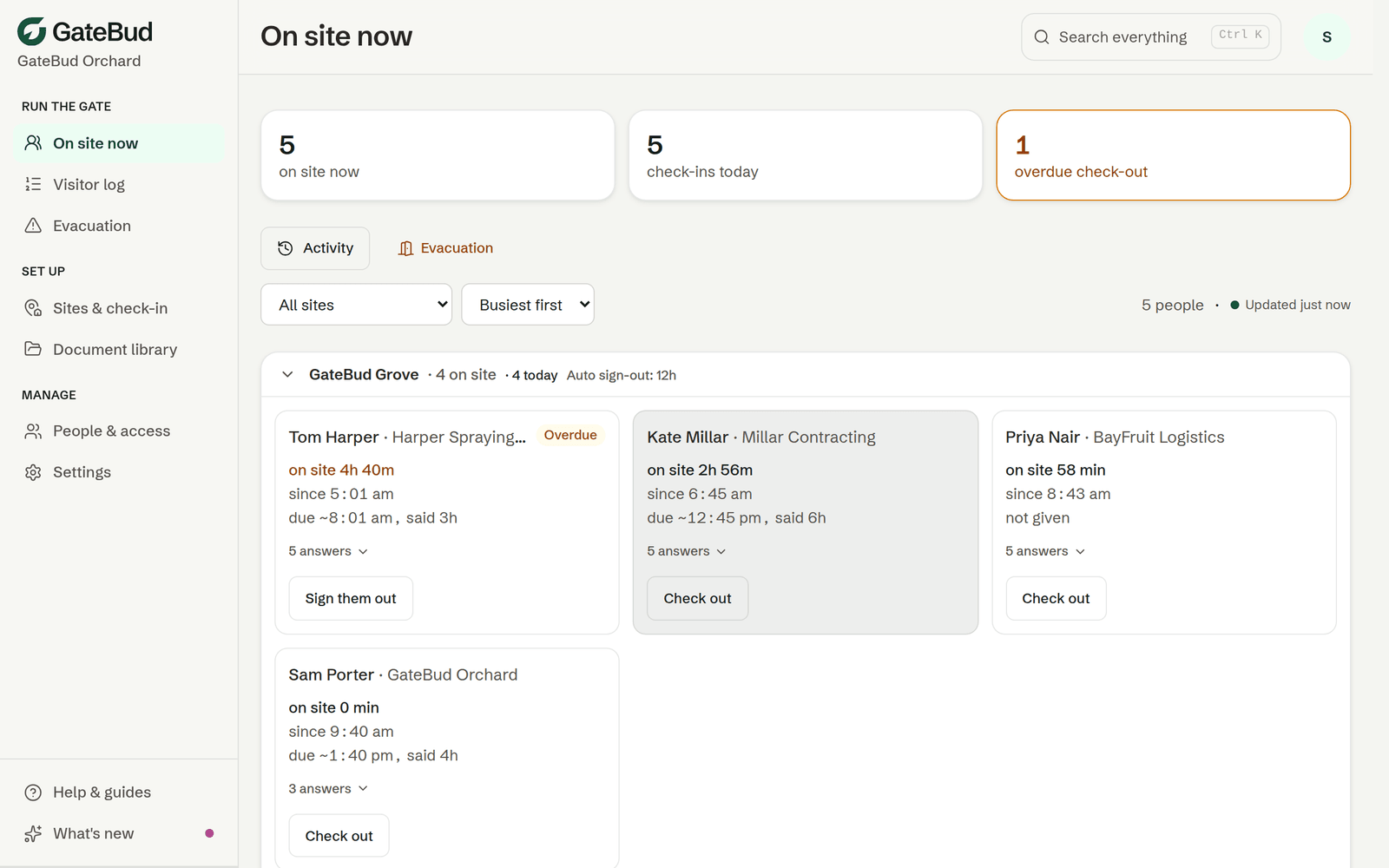
What you will see
- Three numbers across the top. How many people are on site now, how many check-ins so far today, and how many overdue check-outs. The overdue tile turns amber when it is not zero, tap it to see just those people.
- A card per site. Each site's card shows how many are on it, today's count, and its auto check-out rule. Inside, one card per person: their name and company as they typed it at the gate, when they arrived, how long they have been on site, and when they are due out if they gave an expected time. Longest stay first, so whoever has been there all day is at the top.
- Busy sites on top. Sites with someone on them come first, A to Z, then the empty sites, A to Z. If you run several sites you can narrow the view to one.
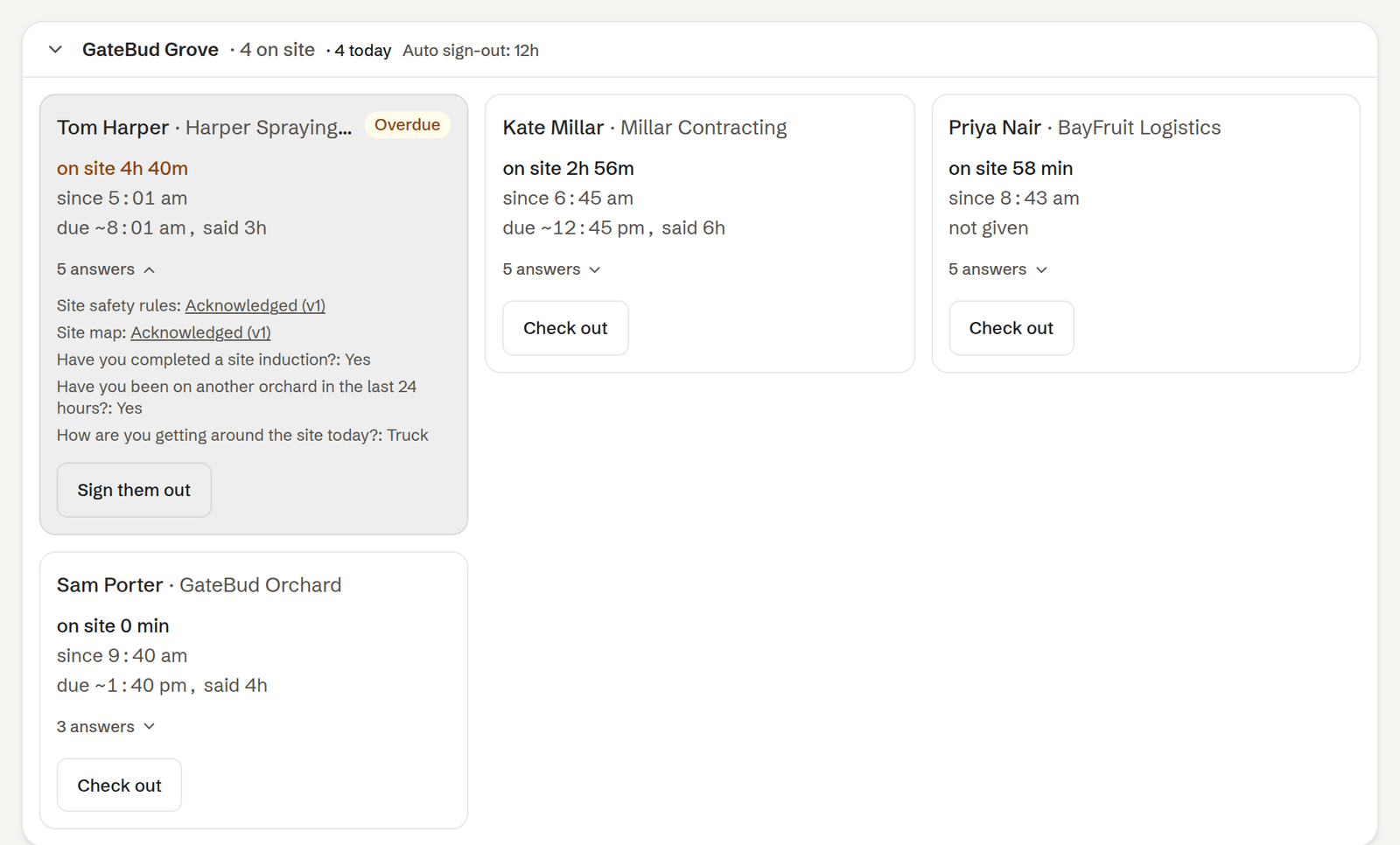
Tap answers on any person to see what they answered and which documents they acknowledged, down to the exact version.
Recent activity
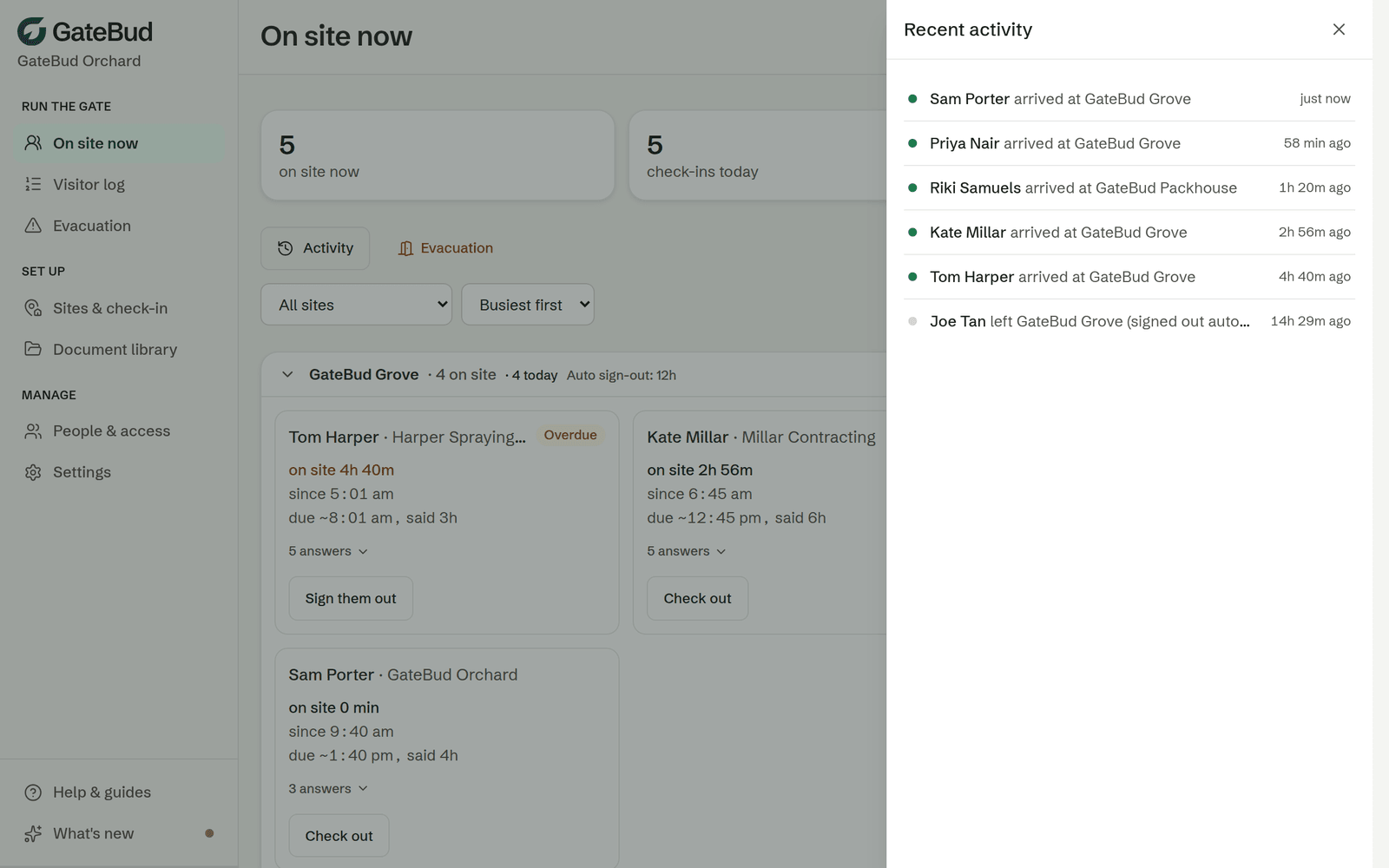
The Activity button opens a side panel of the latest arrivals and departures, including anyone checked out automatically. Handy for a quick "who came and went while I was out".
Overdue check-outs
Someone shows as Overdue when their recorded visit passes an expected duration. It does not tell you whether they have left or are still working.
If they gave an expected time at check-in, they are flagged once they pass it, and the card shows what they said, for example "said 3h". If they did not give a time, anyone on site more than 10 hours is flagged. Check their status before checking them out.
Signing someone out
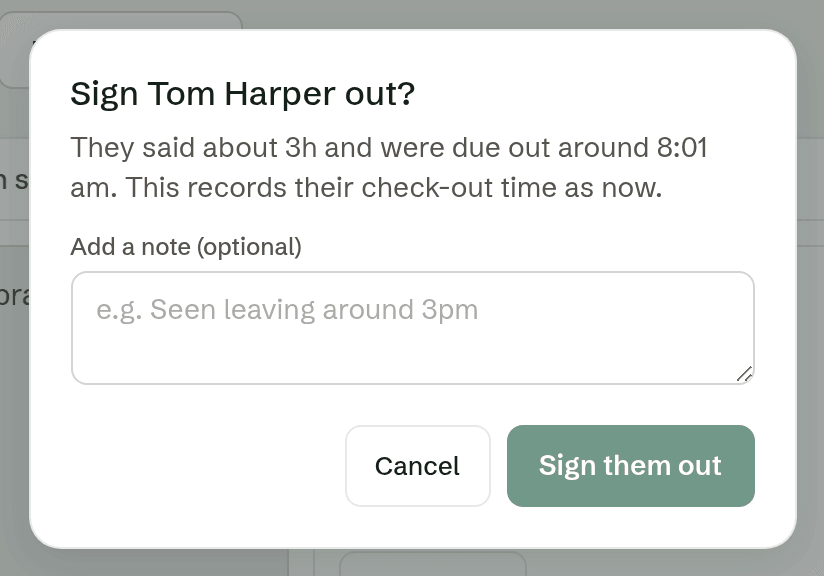
If a visitor left without checking out, find them in the list and use the Check out button on their card. On an overdue person the button reads Check them out and asks you to confirm, with room for a short note, for example "Seen leaving around 3pm". The note stays on the record.
An automatic check-out can close stale visits, but can also remove someone still physically on site from this list and the evacuation list. Set it to allow for genuine visits. See sites, questions and posters.
In an emergency
The Evacuation button at the top of the Dashboard opens the roll call, pre-filtered to whatever site you are looking at. That list has its own page and its own guide: evacuation and the roll call.
Good to know
- The Dashboard refreshes itself every minute or two while it is open. "Updated just now" in the corner tells you it is current.
- Your site filter is remembered on this device. If the Dashboard ever looks strangely quiet, check it is not filtered to one site, the "Show all sites" button puts it right.
- Whether someone can sign visitors out depends on their role at that site. See people, roles and access.