GateBud
The Visitor log, exports and privacy
The Visitor log is the full record of every check-in, at every site, going back to day one. It is where you go for an audit, a correction, or a request to remove someone's details. In GateBud™ these records are your health and safety evidence, so they are built to be trusted.
Finding things
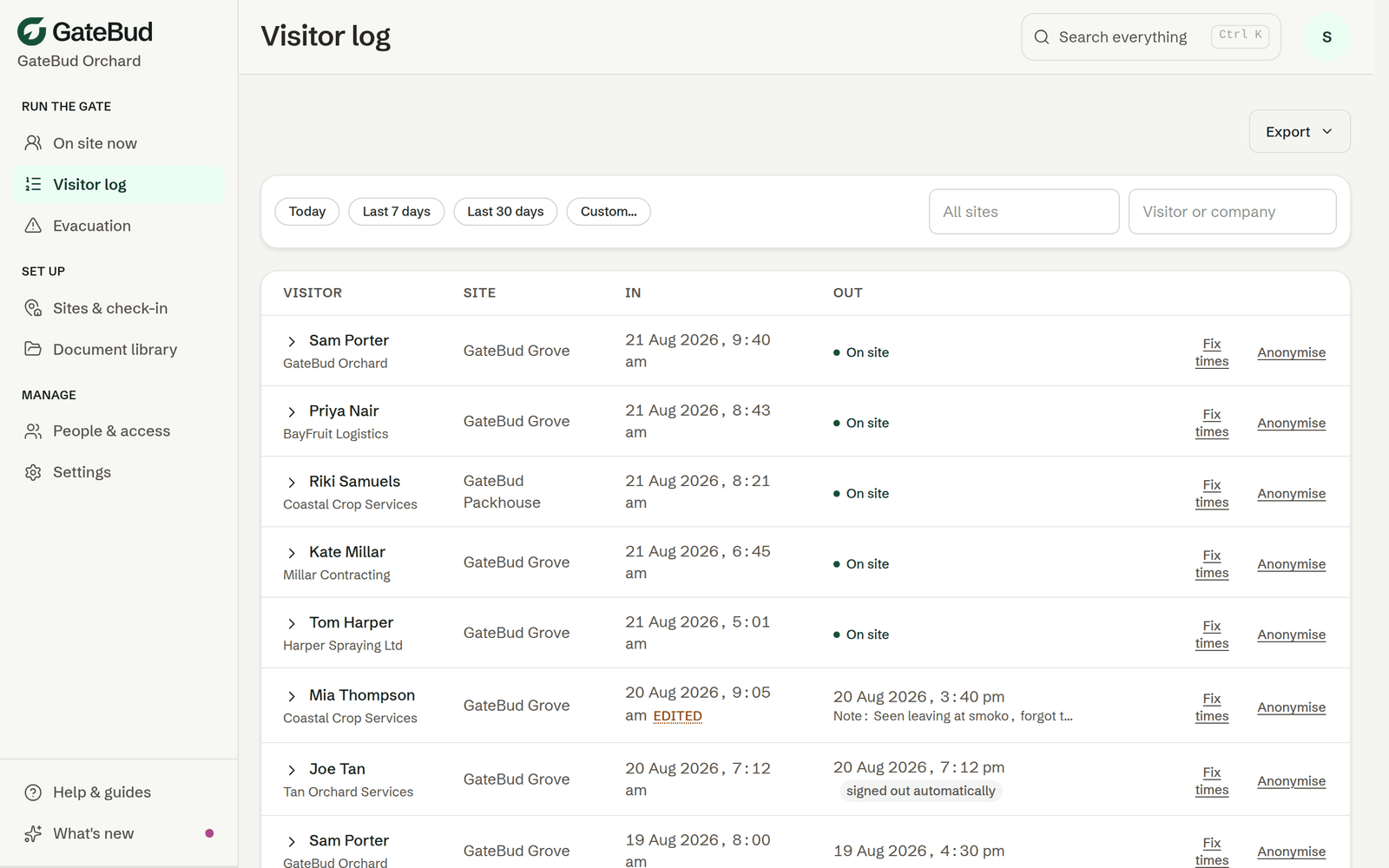
- Use the quick date chips, Today, Last 7 days, Last 30 days, or Custom for an exact range.
- Filter by site: start typing a site's name, or one of your own site identifiers such as a KPIN, and pick it from the list.
- Search by a visitor's name or company.
- The log shows 100 visits per page, Newer and Older move between pages, and the line between them tells you the date range you are looking at.
- On a phone each visit is a card rather than a wide table. Tap Record and actions to open the full record.
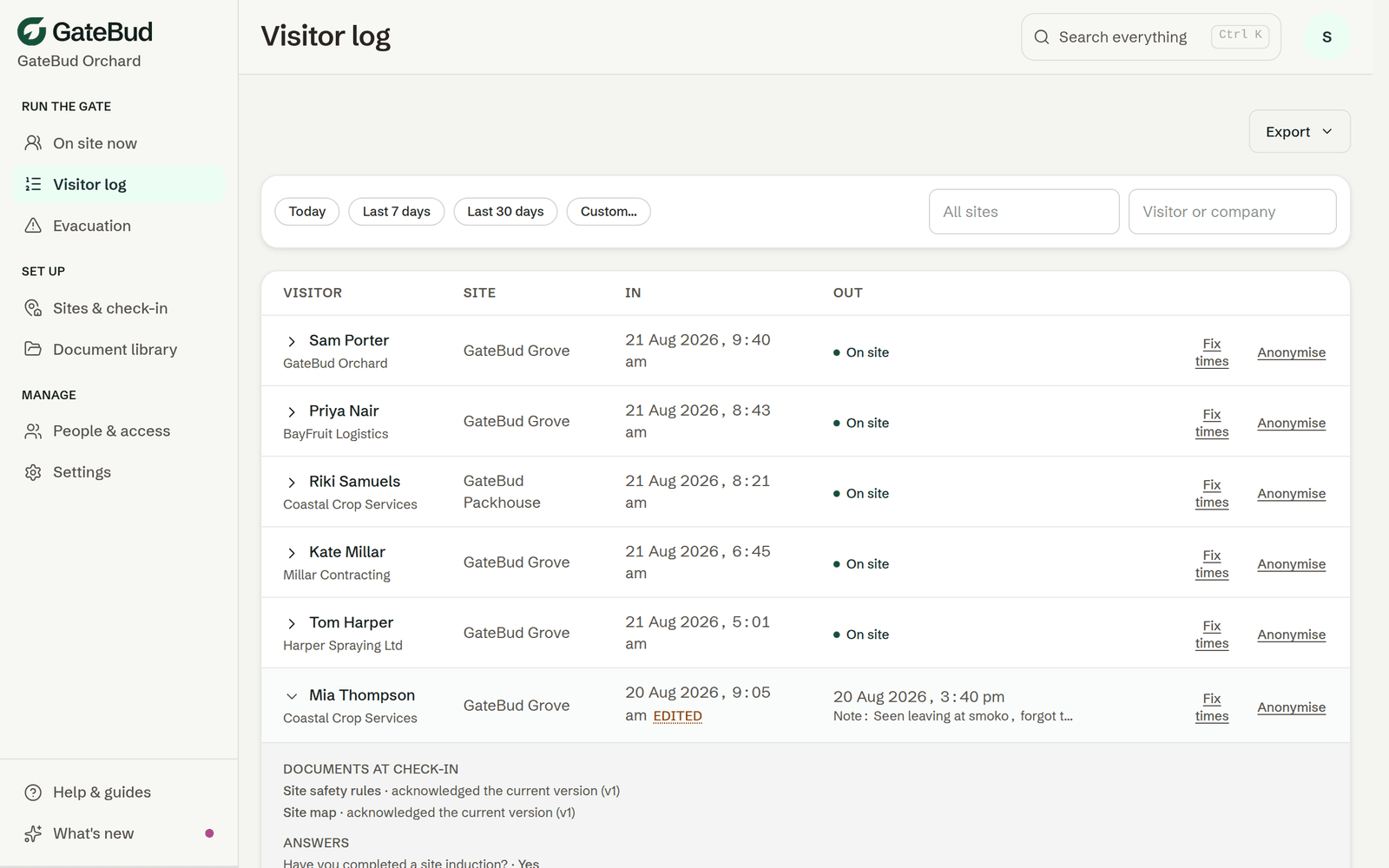
Open any row to see the whole record: the answers given, which documents were acknowledged and which version was read, any check-out note, and the full history of any time corrections.
Exporting records
Auditors and clients sometimes ask for visitor records. The Export button gives you two files:
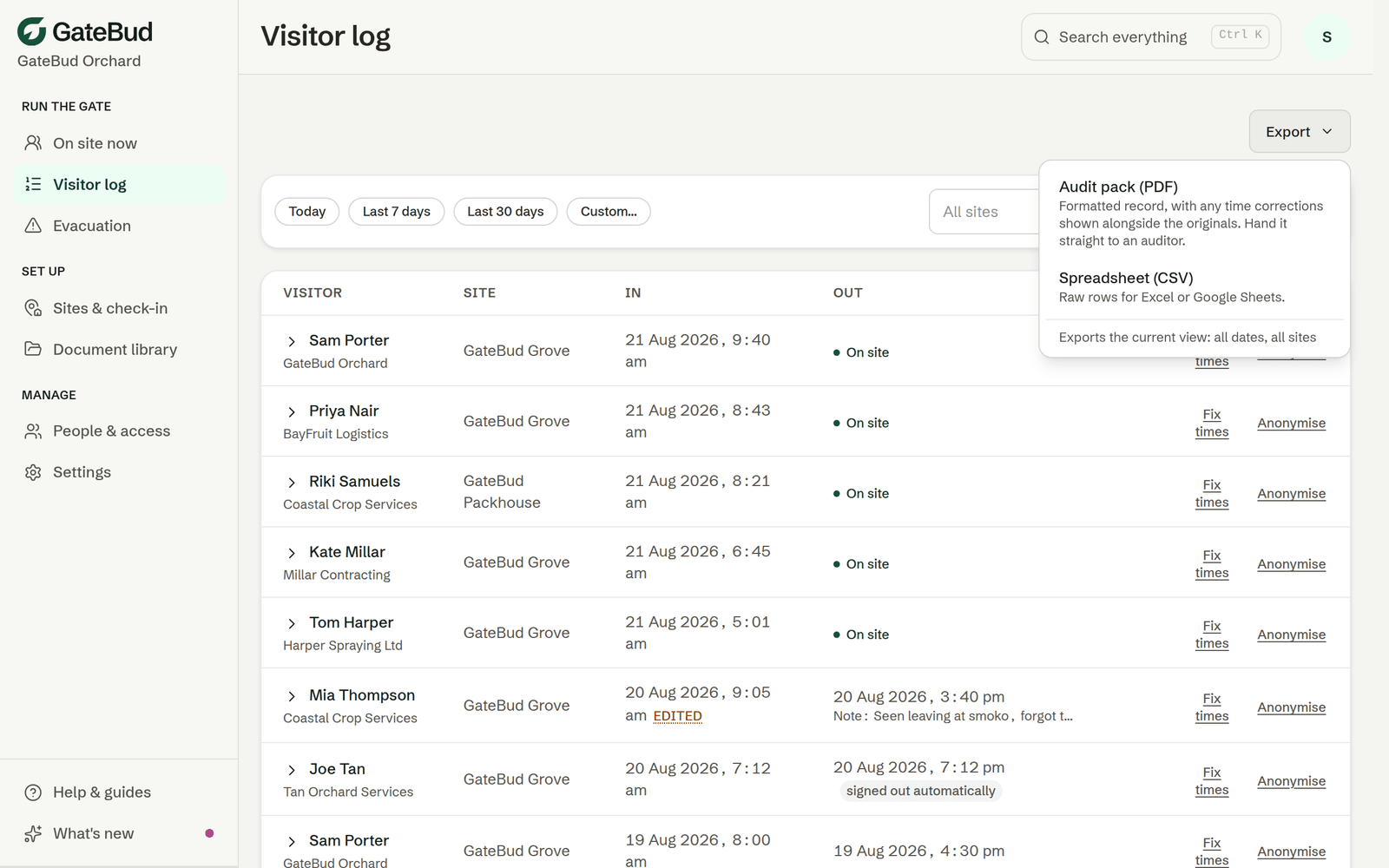
- Audit pack (PDF). A formatted report, with any corrected times shown alongside the originals. Hand it straight to an auditor.
- Spreadsheet (CSV). Raw rows for Excel or Google Sheets.
Both export exactly the view you have filtered, and the menu spells out that scope before you download, so filter first, then export.
Exporting needs a Manager or Admin role. A View only member can read the log but will not see the Export button. See people, roles and access.
If your organisation has added custom site fields, such as KPIN, they are included automatically. A site with no value shows a blank. GateBud never substitutes another site's value.
The spreadsheet has no practical size cap. The PDF report can hold up to 5,000 records, and if your filters match more than that, the warning is printed inside the report itself, so the file can never look complete when it is not.
Records cannot be edited, on purpose
Check-in records are protected from being overwritten or deleted by customer staff. Time corrections preserve the original values, and anonymising removes identifying fields while keeping the visit record.
There are three exceptions: the note a staff member can add when signing someone out (written once, never edited afterwards), and the two below.
Correcting a wrong time
If a check-in or check-out time is genuinely wrong, tap Fix times on the record. Change the time and give a reason, the reason is required.
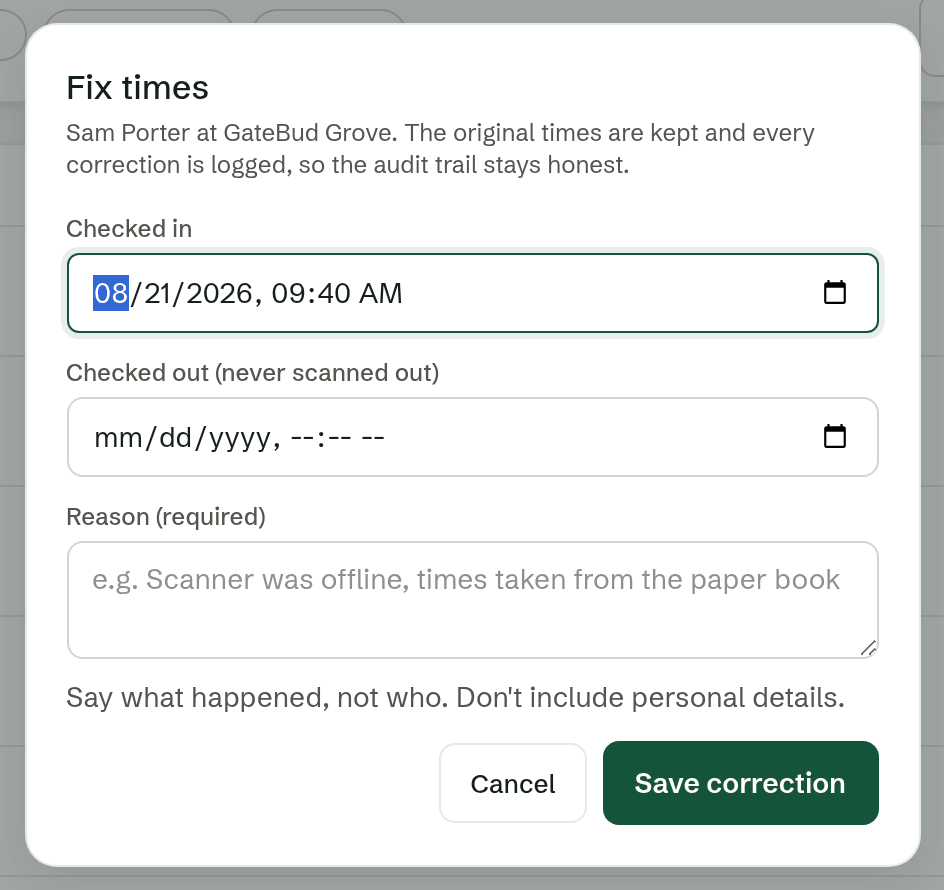
The original time is kept alongside the corrected one, with who corrected it and why. The row is marked as edited from then on, and anyone can open it to see the full history. Nothing is overwritten and nothing is hidden. Only times can be corrected, never names, answers or documents.
The correction history lets someone reviewing the record see the original time, the correction and its reason.
Anonymising: handling a privacy request
If someone asks you to remove their details, you do not delete the record. You anonymise it.
Their name, company, written answers, any check-out note and correction reasons are removed. The visit, timestamps, document acknowledgements and other answer types remain. This cannot be undone in the live record. Remaining answers or context may still identify someone, so do not put personal details into choice options or number fields.
Anonymising does not rewrite exports or emails already received, and backup copies follow their own retention period. If a request needs more than the supported actions, contact privacy@gatebud.com.
Anonymising is an admin job. If you cannot see the buttons below, your role is not Admin, so pass the request to whoever runs your account. See people, roles and access.
There are two ways to do it:
- One person. Find their row in the Visitor log and tap Anonymise. This is the answer to "please remove my details".
- Everything older than a date. Use Anonymise old records at the bottom of the log. It strips identity from every record older than the date you pick, across every site you can manage, whatever filters you have set on screen. It will not accept a date less than seven days ago, so you cannot wipe this week by mistake.
The bulk option is irreversible and covers an unknown number of records, so it asks you to type the word "anonymise" to confirm. Treat it as a once-a-year tool at most. The automatic clean-up below is what you should rely on day to day.
Automatic clean-up of old names
This is already switched on. New accounts start at 2 years.
Go to People & access, then the Settings tab, and an admin can see and change it. Check-in records older than the number of years you choose are anonymised automatically each night: names, companies, written answers, check-out notes and correction reasons are removed, and the record itself stays as your evidence.
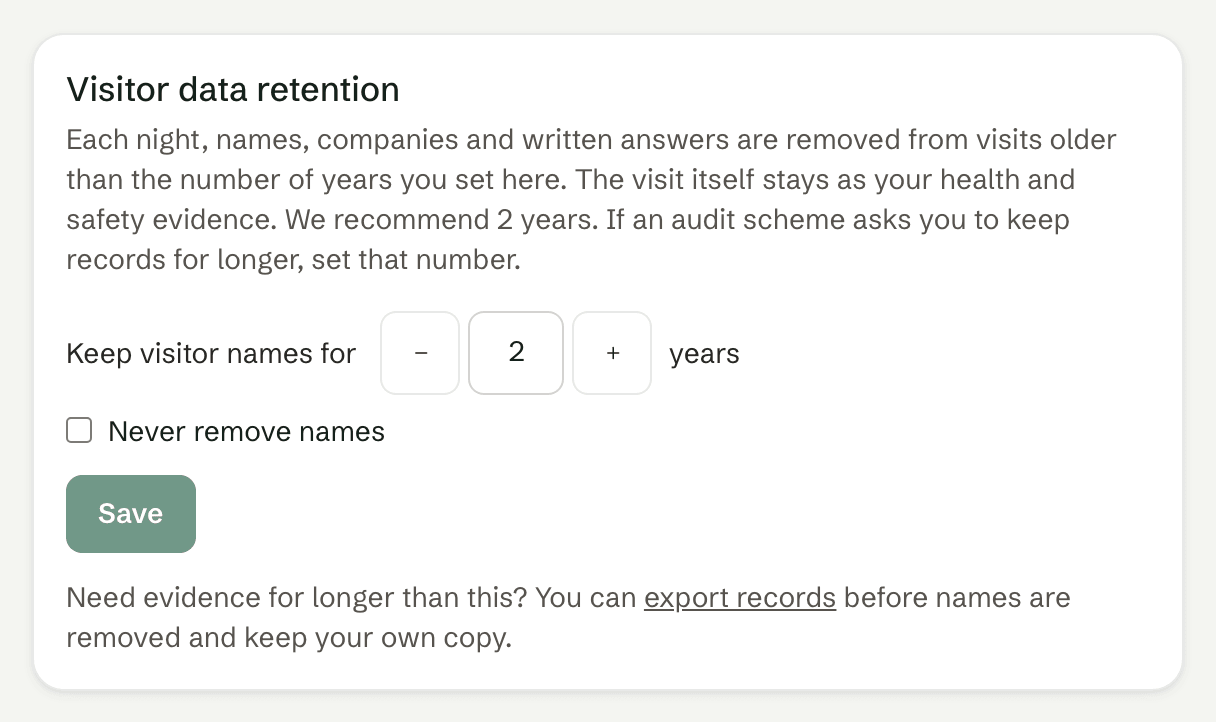
Set Keep visitor names for to the number of years you need, from 1 to 20. Use the − and + buttons or type the number in, then press Save. Saved appears next to the button once it is stored.
- New accounts start at 2 years. Check that this suits your organisation before collecting real visits.
- Check the period required by your audit scheme, contracts and other obligations, then set the period your organisation needs.
- Tick Never remove names to turn the automatic clean-up off.
Records older than your chosen period are anonymised by the nightly process. The setting is not a legal recommendation; check your own obligations. Only an admin can see or change it.
Decide it early. Changing it later is fine, but anonymising is permanent. If you lower the number, GateBud warns you before you save: names on visits older than the new number are removed at about 3am NZT that night.